
Repository metrics
- Stars
- (6,985 stars)
- PR merge metrics
- (No merged PRs in 30d)
Description
I'm trying to generate a video with ffmpeg pan effect but got a strange color in output video.
The input image is like this, a blue shoe:

The filters is zoompan='1.5':x='if(lte(on,-1),(iw-iw/zoom)/2,x+10)':y='if(lte(on,1),(ih-ih/zoom)/2,y)'
The strange problem is: in the output video, the pan effect works well but the shoe is in different color. The shoe in the output video are in 3 different colors but as you see the shoe in input image is in blue.
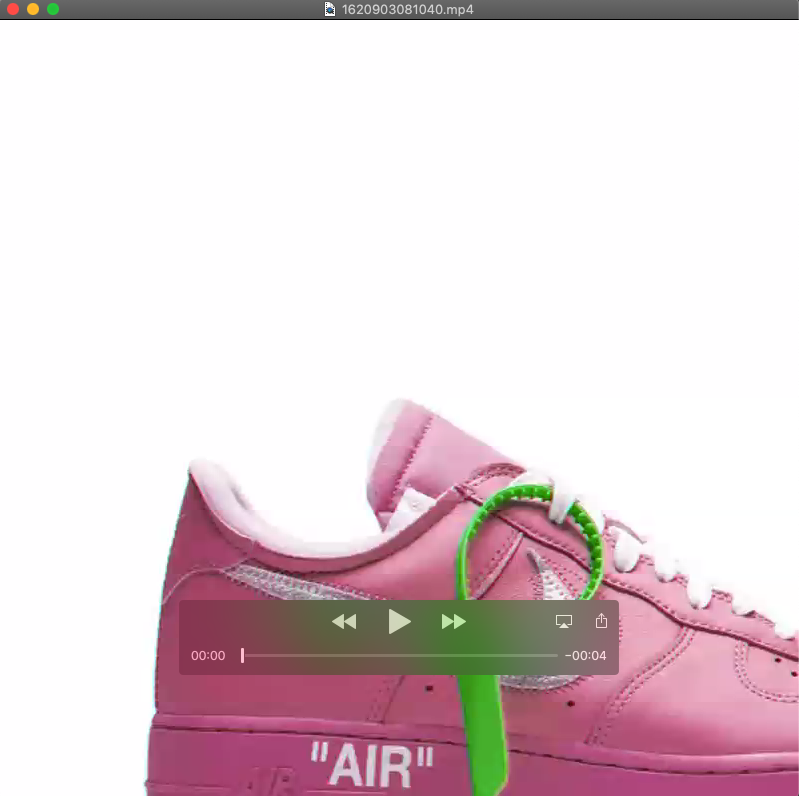
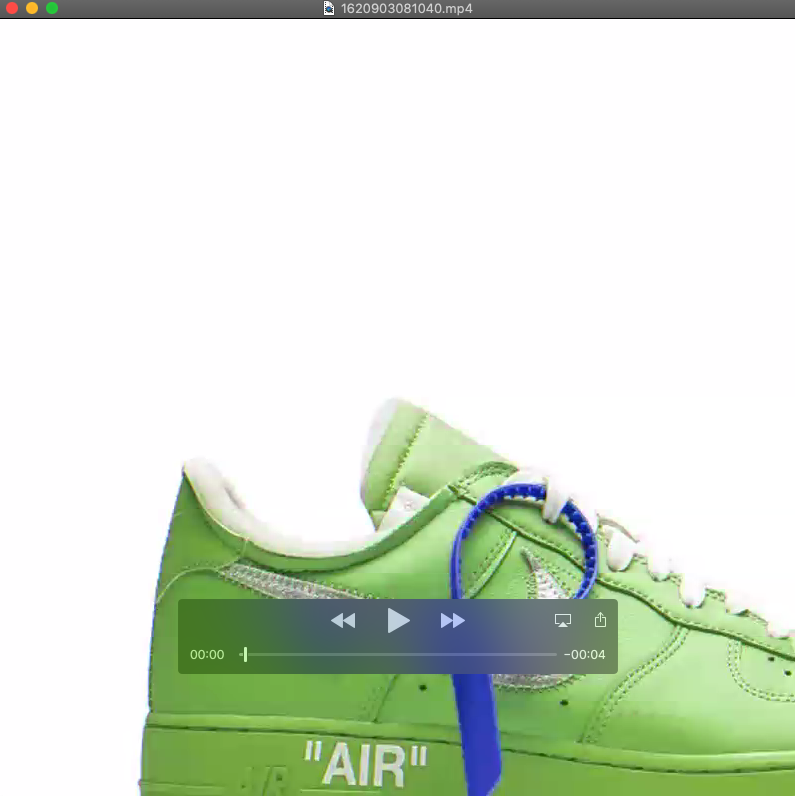
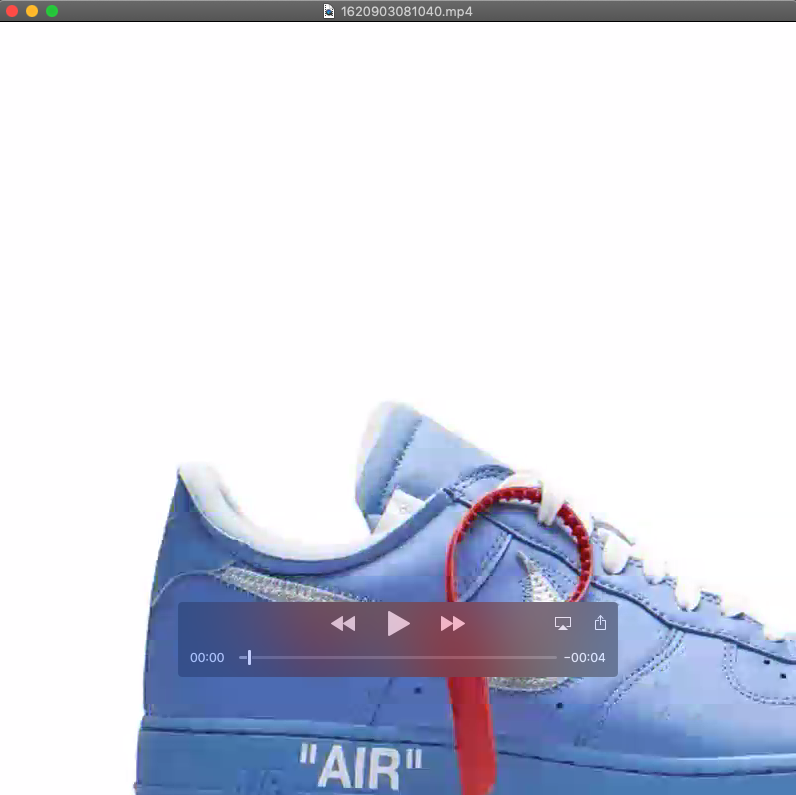
When I change the filter to zoompan='1.5':x='if(lte(on,-1),(iw-iw/zoom)/2,x+3)':y='if(lte(on,1),(ih-ih/zoom)/2,y)', the only difference is x+3, the output video looks good.
Can anyone help on this issue? personally I believe the different between x+10 and x+3 is the speed the image moves from right to left, it should not affect the image color.
Thanks a lot in advance.
The demo code to reproduce this issue:
`public static void generateMp4(String outPath, int width, int height, int frameRate, File img) throws FrameRecorder.Exception { FFmpegFrameRecorder recorder = new FFmpegFrameRecorder(outPath, width, height); // set encoding recorder.setVideoCodec(avcodec.AV_CODEC_ID_H264); recorder.setFrameRate(frameRate); // Set the video data format recorder.setPixelFormat(avutil.AV_PIX_FMT_YUV420P); recorder.setFormat("mp4"); try { recorder.start(); // Record video int count = 0; Java2DFrameConverter converter = new Java2DFrameConverter(); BufferedImage bufferedImage = ImageIO.read(img); Frame frame = converter.getFrame(bufferedImage); String scale = width + "X" + height;
        FFmpegFrameFilter filter = new FFmpegFrameFilter(String.format("zoompan='1.5':x='if(lte(on,-1),(iw-iw/zoom)/2,x+10)':y='if(lte(on,1),(ih-ih/zoom)/2,y)':s=%s", scale), width, height);
        filter.setPixelFormat(AV_PIX_FMT_GBRP);
        filter.setImageWidth(width);
        filter.setImageHeight(height);
        filter.start();
        filter.push(frame);

        Frame filteredFrame = null;
        while ((filteredFrame = filter.pullImage()) != null) {
            recorder.record(filteredFrame, AV_PIX_FMT_GBRP);
            count++;
        }
        System.out.println("total frames " + count);
    } catch (
            IOException e) {
        e.printStackTrace();
    } finally {
        // release resources
        recorder.stop();
        recorder.release();
    }
}
`